How to use our AWQL generator
AWQL generator uses the AdWords Query language, which allows you to easily pull data from AdWords and combine it with other simple functions in your Google Spreadsheet.
I’ve put together a short list of the obstacles you might face with AdWords API and how to deal with them.
Choose the right report type
It may seem overly simple, but you need to think about what type of report you want. If you want to generate a report of the search queries then you need to choose Search Query performance report. If you want to see account data, choose Account Performance report. It’s not complicated, but it’s important to keep it in mind.
Most common AWQL reports:
- Account Performance
- Ad Performance
- Ad Group Performance
- Campaign Performance
- Final URL
- Keywords Performance
- Paid and Organic Query
- Search Query Performance
You can find every available report type here: https://developers.google.com/adwords/api/docs/appendix/reports
Choose the right metrics and dimensions
When selecting which columns will be displayed in your Google Spreadsheet (see photo below), it’s very important to put them in the order in which you want them to be displayed in the results.
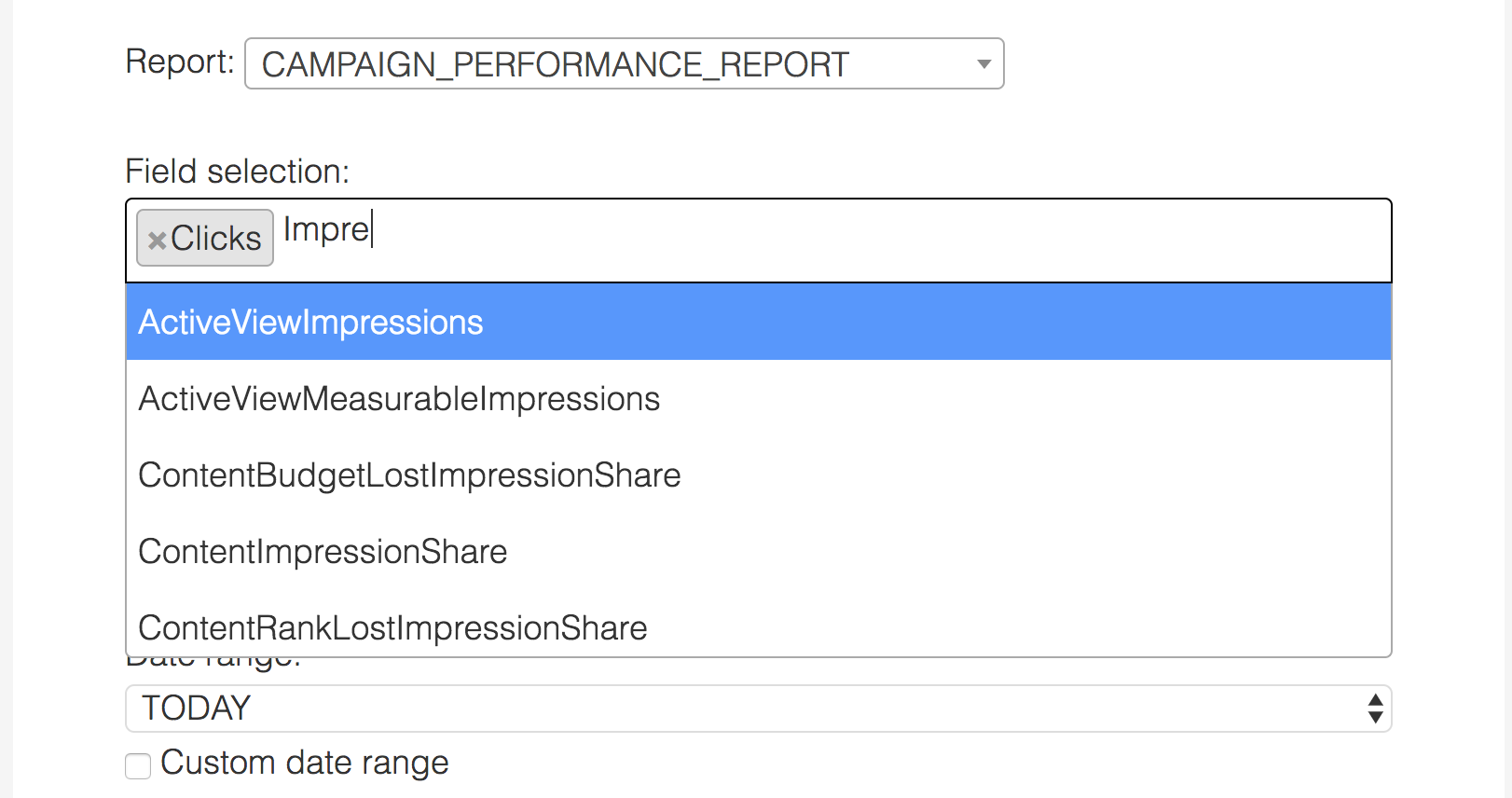
The above example will result in two columns in the report; column A will be Clicks and column B will be CampaignName. So be sure to keep this in mind while making your selection 🙂
Other unusual things
- Keywords are called Criteria in Adwords API.
- If you want to get results separated by days or months, you need to select DayOfWeek or MonthOfYear in your field selection.
Don’t forget the date range
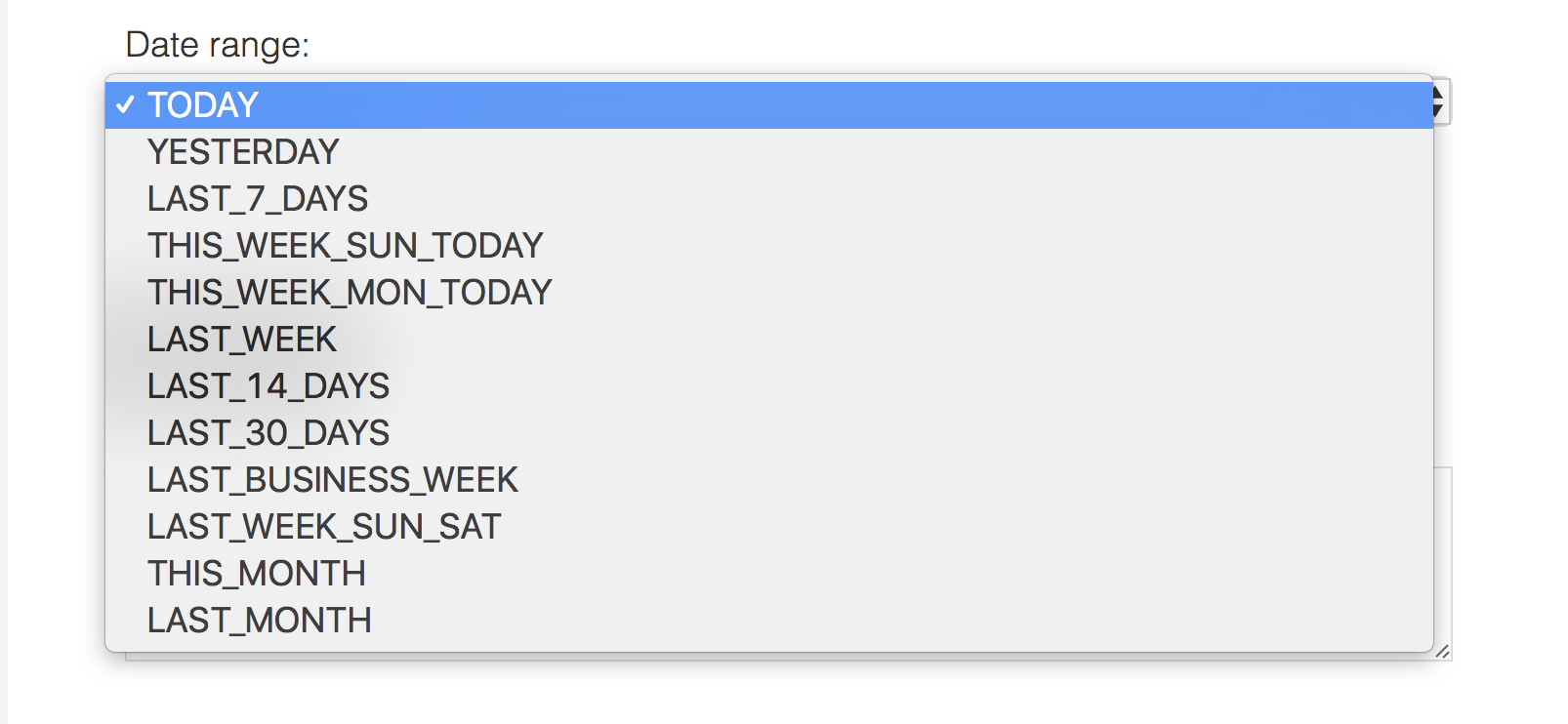
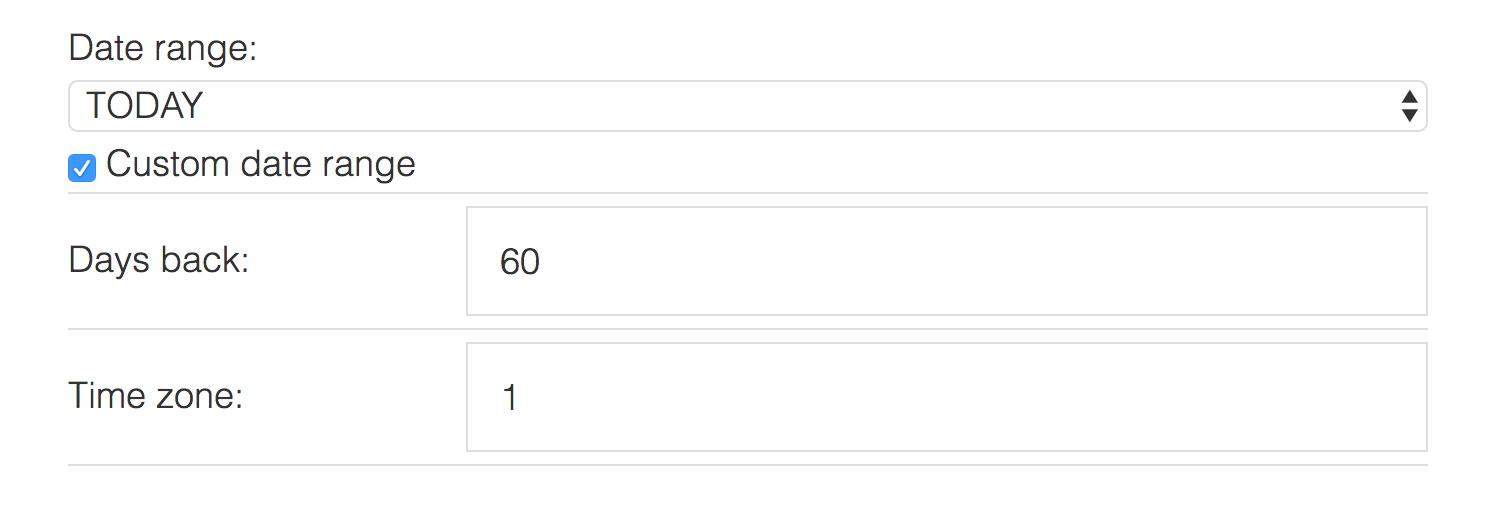
When you are choosing the date range there are two ways to do it. The first is to use one of the values from the dropdown list, like LAST_30_DAYS, THIS_MONTH, and so on. But, if you would like to see the monthly performance for the last year, you need to use our custom date range function and enter the number of days back from today.
These are the most common problems you will find with this tool. You can find the tool at: https://ppc-scripts.eu/awql-generator/

Co-owner of the PPC agency Lynt. Writes at jakubkasparu.com.
Comments 1
Stef
Is it also possible to have “this year” or use a specific date range?