Application of AWQL in real reports
In this article I would like to show you how you can use the AWQL generator we developed in our company.
First, you will need to get an AWQL report. You can use our generator, which you can find here or, if you prefer, you can copy our template below which already has the AWQL report combined with the script and some additional functions:
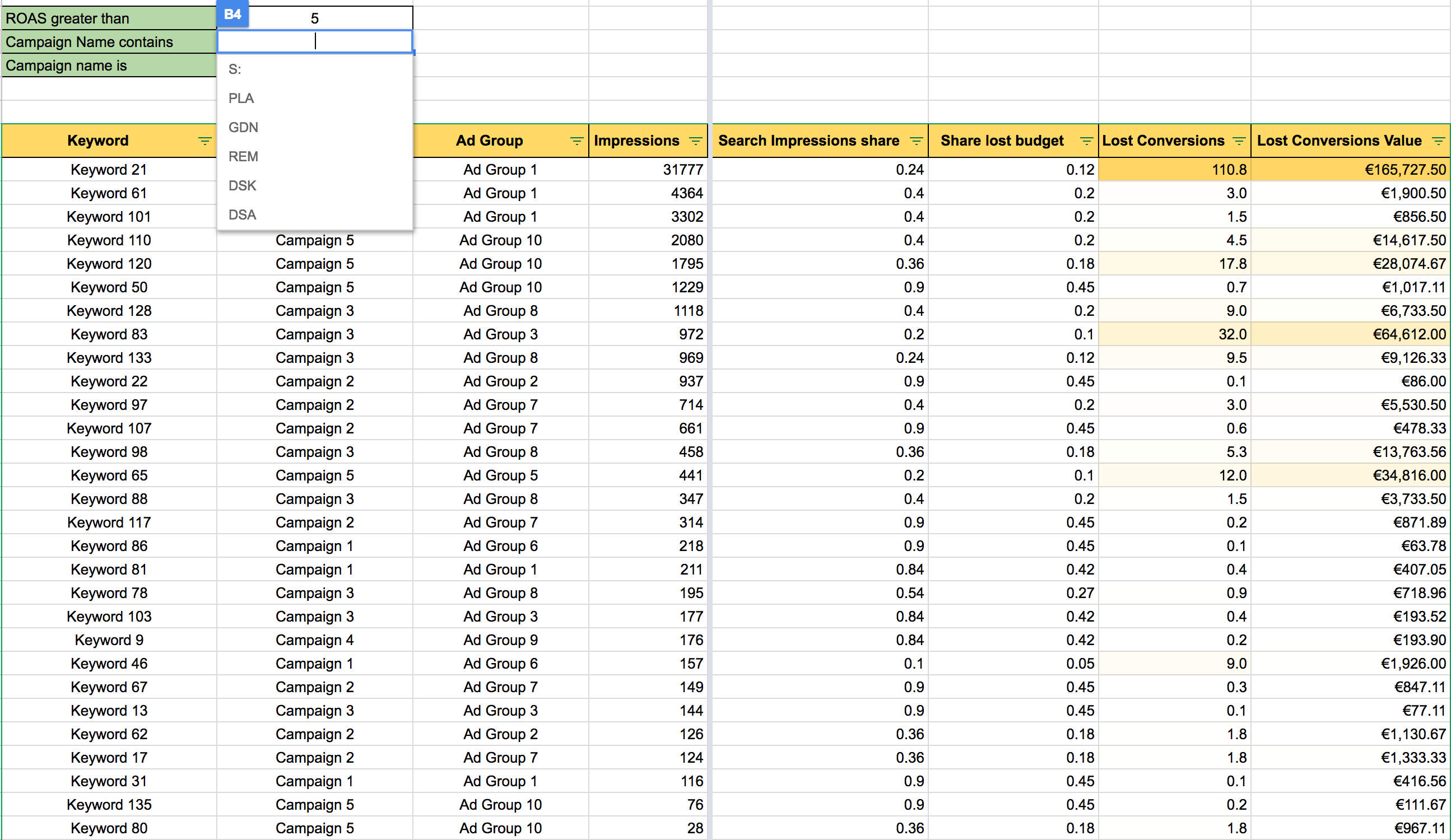
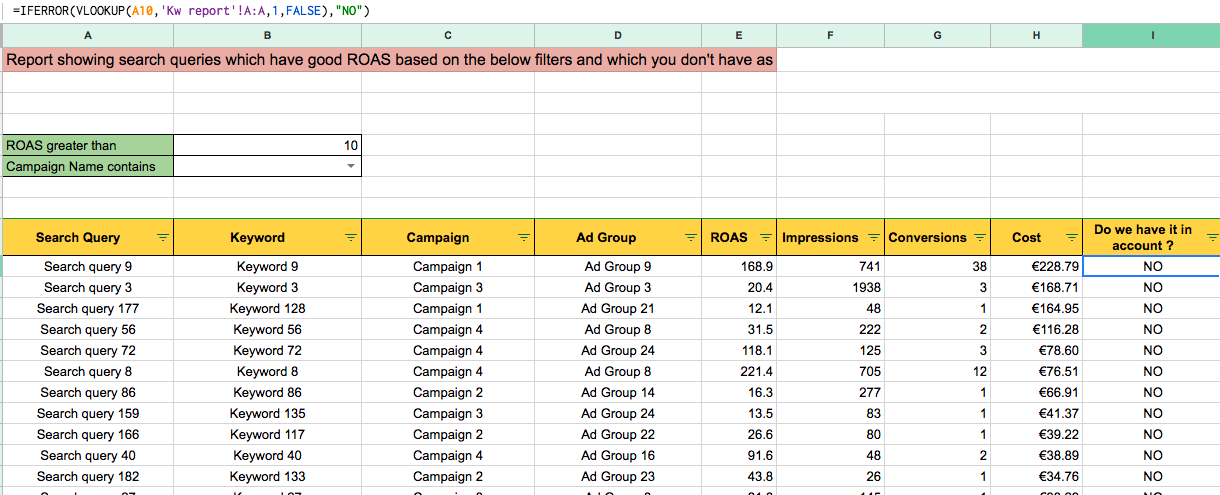
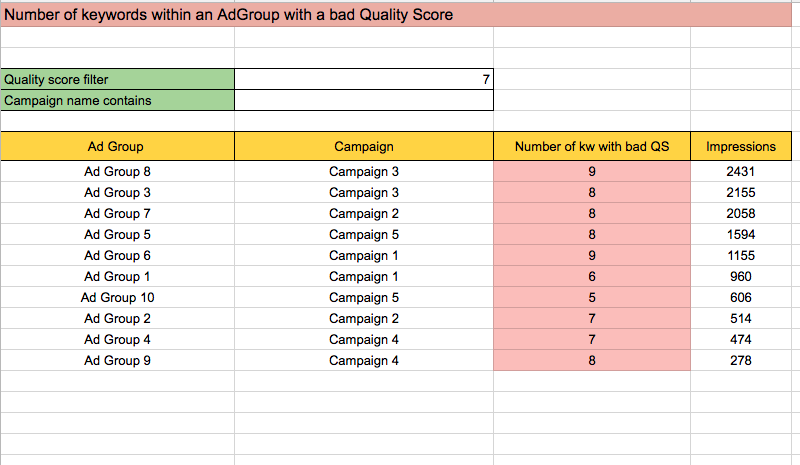
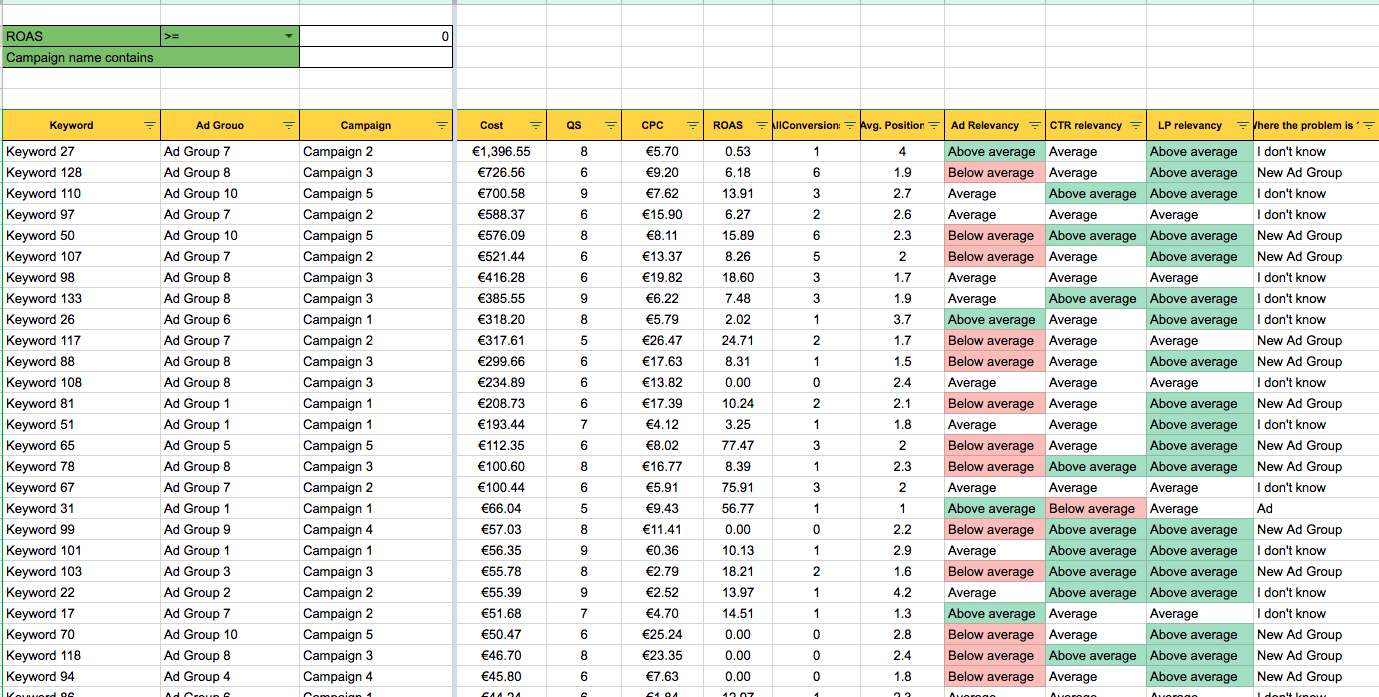
- Duplicate our template and insert the URL of your new spreadsheet on line 2 of the script below.
- Then insert the script into your account.
- Launch the script.
- Look at the sheets for insight into your accounts.
//SETTINGS - Spreadsheet URL//
var spreadsheet = SpreadsheetApp.openByUrl('');

function main(){

spreadsheet.setSpreadsheetLocale('en');
var sheetSettings = createOrGetSheet(spreadsheet, 'Settings', 0);
var settingRange = sheetSettings.getRange(1,1,1,2);
if(sheetSettings.getRange(1,2).isBlank()) {
  settingRange.setValues([['How many days back for the report',90]]);
}
var daysBack = sheetSettings.getRange(1,2).getValue();
var sheet = createOrGetSheet(spreadsheet, 'KW report', 1);
var sheet2 = createOrGetSheet(spreadsheet, 'Terms report', 2);

var to = lynt_get_date(1);
var from = lynt_get_date(daysBack);
var dateRange = from + ',' + to;


var report = AdWordsApp.report(
  " SELECT Criteria, CampaignName, AdGroupName,Impressions,Clicks,AverageCpc,Ctr,Cost,AllConversions,CostPerAllConversion,AllConversionValue,QualityScore,CpcBid,FirstPageCpc,TopOfPageCpc,AveragePosition,CreativeQualityScore,SearchPredictedCtr, PostClickQualityScore,EstimatedAddCostAtFirstPositionCpc,EstimatedAddClicksAtFirstPositionCpc,FirstPositionCpc,KeywordMatchType, SearchImpressionShare, SearchRankLostImpressionShare " +
  " FROM KEYWORDS_PERFORMANCE_REPORT"+
  " WHERE Impressions > 10"+
  " AND AdGroupStatus = ENABLED" +
  " AND CampaignStatus = ENABLED" +
  " AND Status = ENABLED" +
  " DURING " + dateRange);

var report2 = AdWordsApp.report(
  " SELECT Query,KeywordTextMatchingQuery,CampaignName,AdGroupName,Impressions,Clicks,AverageCpc,Ctr,Cost,AllConversions,CostPerAllConversion,AllConversionValue " +
  " FROM SEARCH_QUERY_PERFORMANCE_REPORT"+
  " WHERE Impressions > 0"+
  " AND AdGroupStatus = ENABLED" +
  " AND CampaignStatus = ENABLED" +
  " AND Impressions > 20" +
  " DURING " + dateRange);

report.exportToSheet(sheet);
report2.exportToSheet(sheet2);
}


function lynt_DST(datum, offset){
  var yr = datum.getFullYear();
  var dst_start = new Date("March 14, " + yr +" 02:00:00");
  var dst_end = new Date("November 07, " + yr +" 02:00:00");
  var day = dst_start.getDay();
  dst_start.setDate(14-day);
  day = dst_end.getDay();
  dst_end.setDate(7-day);
  if (datum >= dst_start && datum < dst_end){
    return offset+1;
  } else {
  return offset;
  }
}

//Creating or returning selected sheet
function createOrGetSheet(reportSpreadsheet, name, position) {
  var sheet = reportSpreadsheet.getSheetByName(name);
  if(sheet == null) {
    return reportSpreadsheet.insertSheet(name,position);
  } else {
    return sheet;
  }
}

//Getting data for x days back in right format for AWQL query
function lynt_get_date(pocet_dni) {
  var minule = new Date();
  //kdyz je letni cas, tak o hodinu dele (GMT+1)
  var offset = lynt_DST(minule,1);
  minule.setTime(minule.getTime() - (1000 * 60 * 60 * (24) * pocet_dni) + offset);
  return lynt_format_awql_date(minule);
}

//Getting always last sunday with right formats for AWQL
function lynt_get_sunday() {
  var minule = new Date();
  //kdyz je letni cas, tak o hodinu dele (GMT+1)
  var offset = lynt_DST(minule,1);
  minule.setTime(minule.getTime() - (1000 * 60 * 60 * (24) * (minule.getDay())) + offset);
  return lynt_format_awql_date(minule);
}

//Getting x days from last sunday right formated for AWQL
function lynt_get_xdays_back_from_sunday(pocet_dni) {
  var minule = new Date();
  //kdyz je letni cas, tak o hodinu dele (GMT+1)
  var offset = lynt_DST(minule,1);
  minule.setTime(minule.getTime() - (1000 * 60 * 60 * (24) * pocet_dni) - (1000 * 60 * 60 * 24 * (minule.getDay()))+ offset);
  return lynt_format_awql_date(minule);
}

//Format date for AWQL
function lynt_format_awql_date(datum){
  return datum.getUTCFullYear()+("0"+(datum.getUTCMonth()+1)).slice(-2)+("0"+datum.getUTCDate()).slice(-2);
}
Co-owner of the PPC agency Lynt. Writes at jakubkasparu.com.
Comments 8
Christian
Jakub Kašparů
Hi,
I am really sorry, I did some stuff regarding language changes and it went wrong. Now I should be fine.I added the condition not to pull search queries with less than 10 impressions and I deleted unused columns within reports. But you can still fetch just 11 000 keywords, because we are pulling many metrics and there is the limit to 1 million cells per sheet.
Just try it again if you will get problem with 200 000 rows just increase number for condition Impressions > on the lines 24 and 36
Paul
I attended your awesome presentation yesterday as well, in my opinion the best session I’ve heard yesterday!
I wanted to try your scripts earlier today, but I encounter the error Christian described above too. What am I doing wrong?
Paul
The parsing error in line 21 is caused by a missing comma between the two selectors SearchPredictedCtr PostClickQualityScore. Fixed that, but now the script fails for me in line 39 because it would increase the number of rows to more than the maximum possible 200.000.
Any way to solve this, Jakub?
Jakub Kašparů
Look at the comment above i solved the problem.
Christian
Hi Paul – thanks a ton for finding the missing comma (:
I also get the error with max 200k number of rows now and then I decrease the data-range from default 90days to now 30days and that helps.
Now the script is running and pushing data in gsheet. I`m playing with the data now
Jakub Kašparů
I think the better way to solve the problem is to filter unnecessary keywords on lines 24 and 36. Or you can add the condition for keyword report for Clicks > 2 or something like that.
Alexandre Langzam
No problem on this script for me, works fine. Thanks!
Thanks for your great session yesterday at ppc masters (:
Unfortunatly I get the following error while launching the script
“Parsing error. Please check your selector. (line 21)”
thanks in advance, jakub (: